


**
- 還有一個腳位(GPIO3),就接上點動開關,控制螢幕使用
**
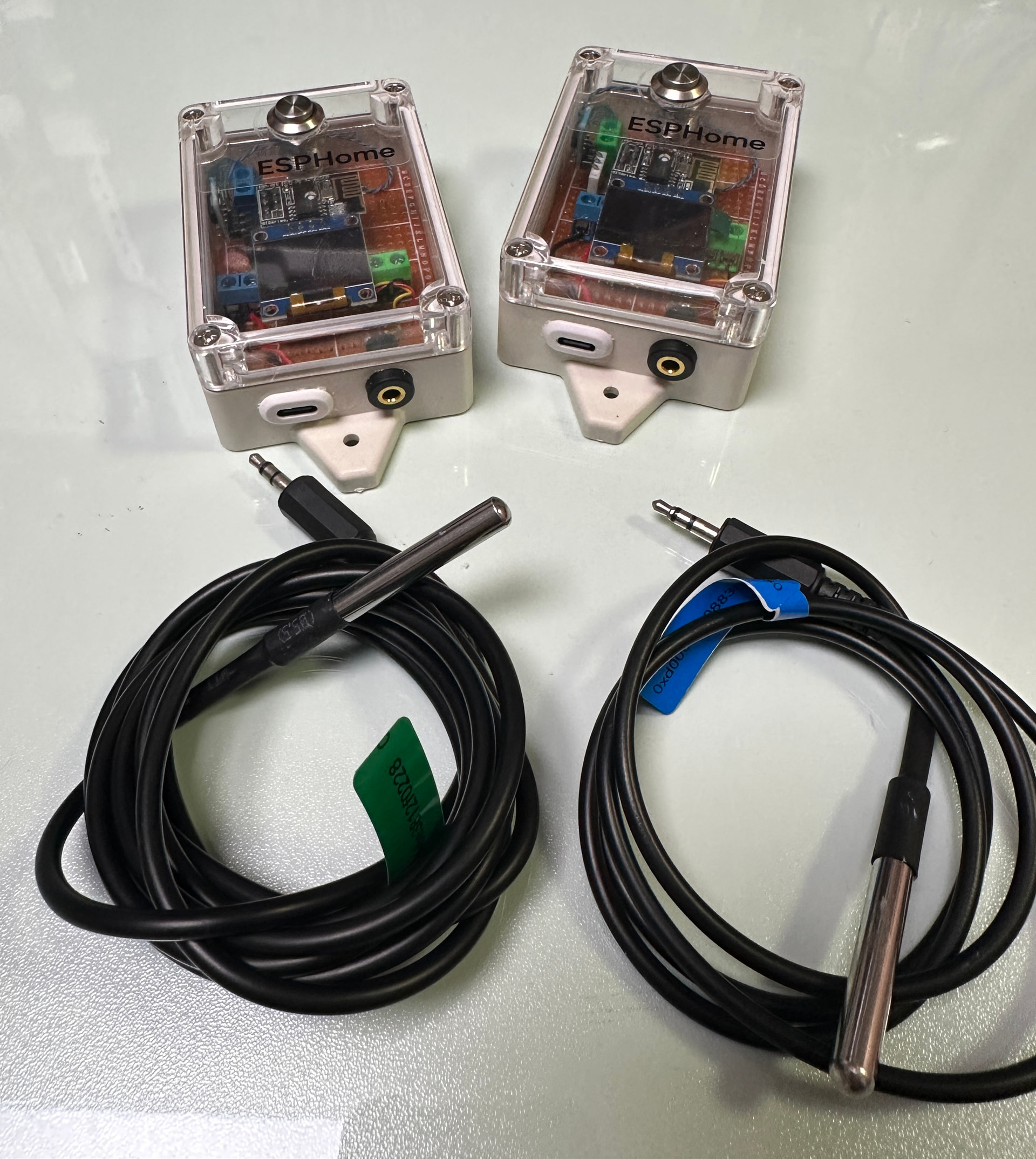
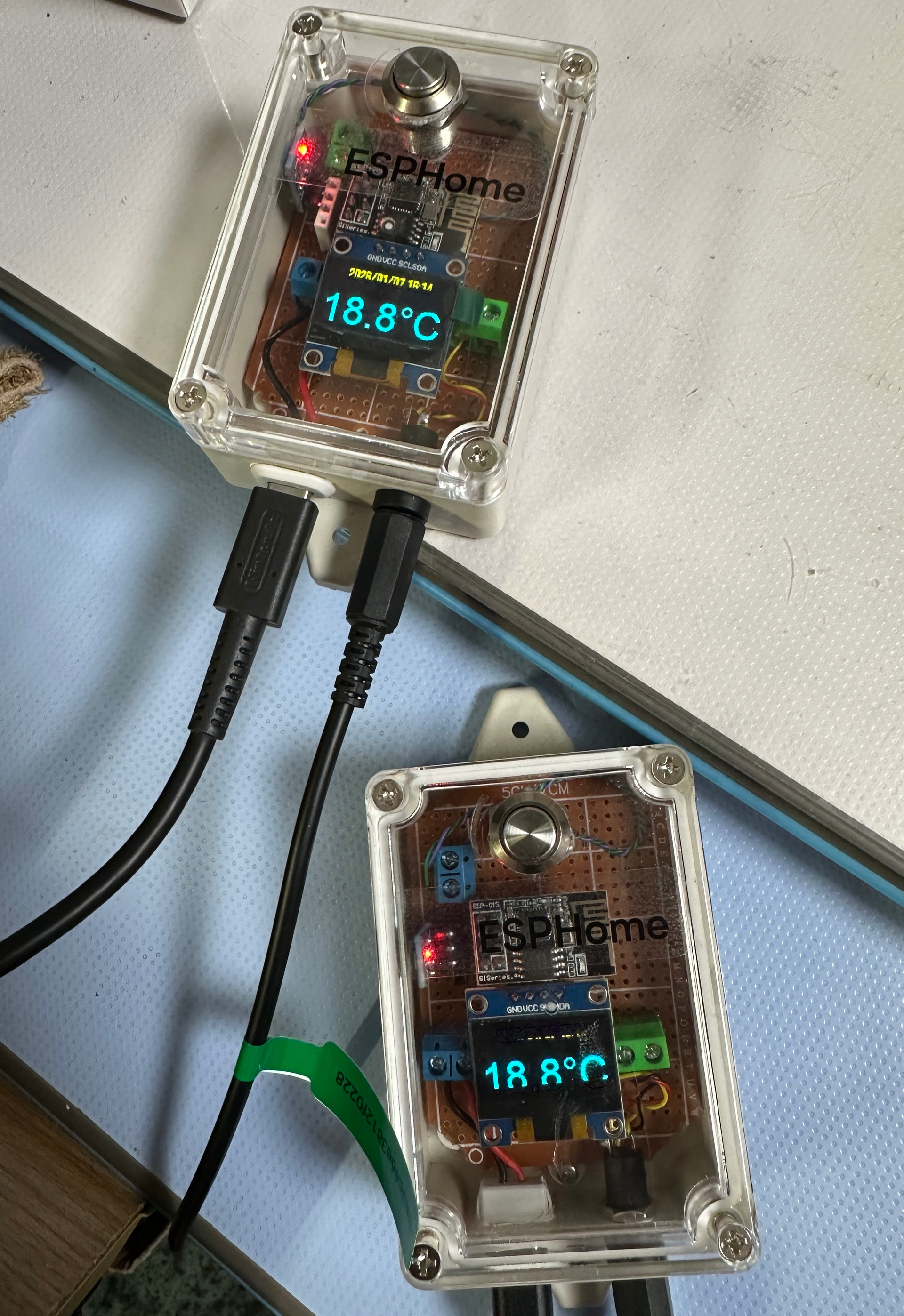
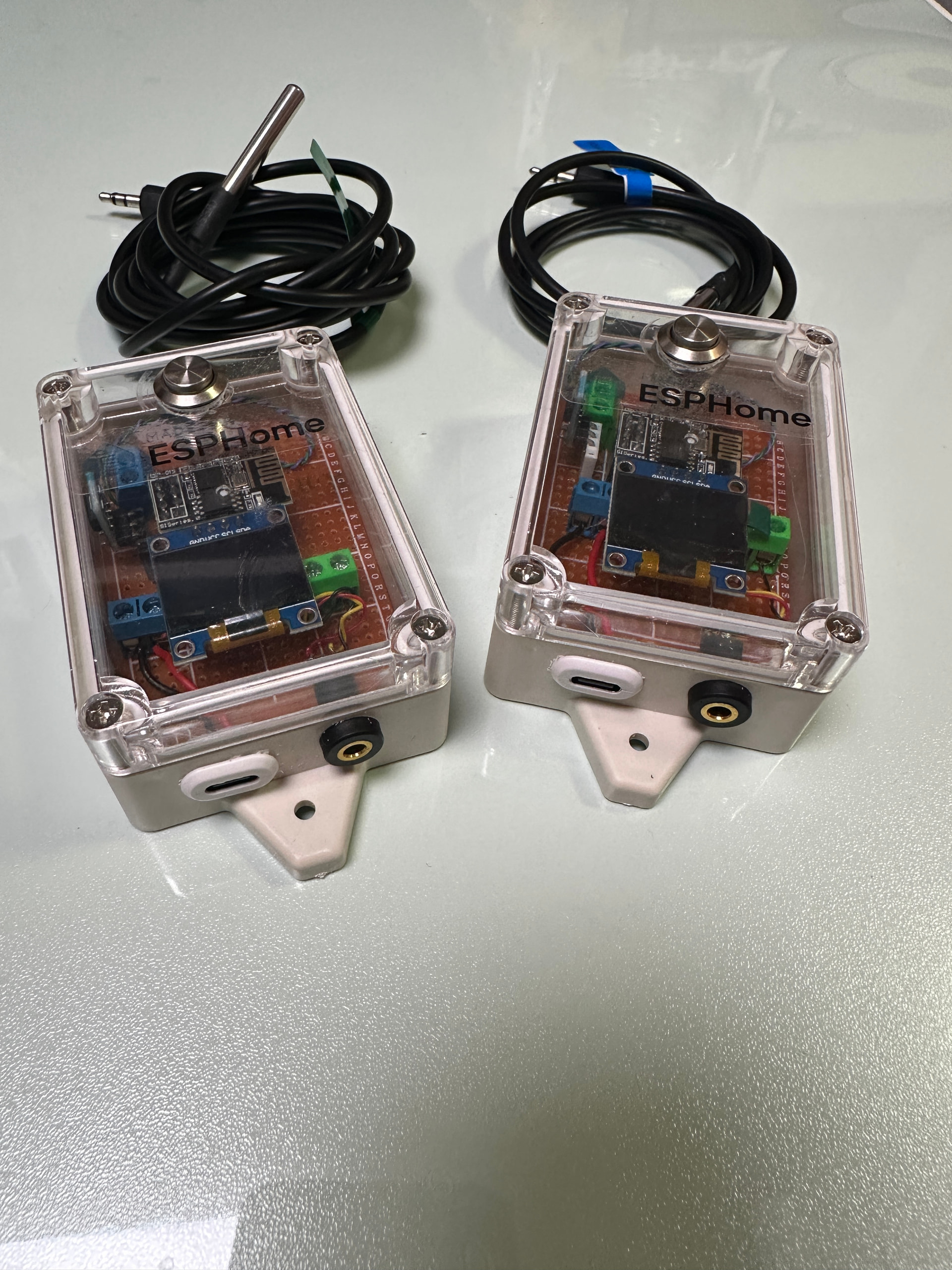
Esphome~Diy的材料
1、DS18B20溫度探頭(改成3.5mm接頭)
2、0.96Oled螢幕
3、5v轉3.3v降壓模塊
4、Esp-01s晶片
5、防水盒
6、3.5mm公母插座
7、Type-C母座
8、12mm金屬按鈕自重式點動開關
※所有模塊均可拔插抽換(含oled螢幕)方便日後維修
substitutions:
  device_name: "ds18b20-ssd1306"      # 裝置名稱代稱,可重複使用
  friendly_name: ds18b20螢幕版       # 裝置顯示名稱
##################################################################################################################
packages:
  device_web: !include templates/device_web.yaml  # 網頁管理功能封裝模組
##################################################################################################################
esp8266:
  board: esp01_1m                     # 使用 ESP-01 1MB Flash 板子
##################################################################################################################
esphome:
  name: ${device_name}
  name_add_mac_suffix: true
  on_boot:
    then:
      - lambda: |-
          id(my_display).turn_off();  // 開機時關閉 OLED 顯示器
##################################################################################################################
i2c:
  sda: GPIO0                          # I2C 資料線(OLED)
  scl: GPIO2                          # I2C 時鐘線(OLED)
  scan: true                          # 啟用自動掃描 I2C 裝置(方便 debug)
##################################################################################################################
one_wire:
  - platform: gpio
    pin: GPIO1                        # DS18B20 感測器接在 GPIO1(TX 腳)
##################################################################################################################
globals:
  - id: last_temp
    type: float
    restore_value: no
    initial_value: '0.0'              # 儲存上一次溫度,用來比較是否變化
##################################################################################################################
number:
  - platform: template
    name: "螢幕觸發溫度變化閾值"       # 可透過 HA 調整溫度變化觸發門檻
    id: temp_delta_threshold
    optimistic: true
    min_value: 0.01
    max_value: 5.0
    step: 0.01
    initial_value: 0.1               # 預設變動大於 0.1°C 才觸發

  - platform: template
    name: "螢幕顯示時間(秒)"          # 可透過 HA 調整螢幕顯示時間
    id: oled_on_duration
    optimistic: true
    min_value: 5
    max_value: 300
    step: 5
    initial_value: 30                # 預設亮 30 秒後關閉
##################################################################################################################
binary_sensor:
  ## Button 01
  - platform: gpio
    id: button_01
    pin:
      number: GPIO3
      mode: INPUT_PULLUP
      inverted: True
    filters:
      - delayed_on: 50ms
      - delayed_off: 50ms
    on_multi_click:
      - timing:
          - ON for at most 1s
          - OFF for at least 400ms
        then:
          - text_sensor.template.publish:
              id: buttons
              state: "button_pressed"
          - delay: 50ms
          - text_sensor.template.publish:
              id: buttons
              state: "button_01_single"
          - delay: 2s # 增加 2 秒延遲
          - text_sensor.template.publish:
              id: buttons
              state: "" # 重設狀態

      - timing:
          - ON for at most 1s
          - OFF for at most 399ms
          - ON for at most 1s
          - OFF for at least 400ms
        then:
          - text_sensor.template.publish:
              id: buttons
              state: "button_pressed"
          - delay: 50ms
          - text_sensor.template.publish:
              id: buttons
              state: "button_01_double"
          - delay: 2s # 增加 2 秒延遲
          - text_sensor.template.publish:
              id: buttons
              state: "" # 重設狀態

      - timing:
          - ON for at most 1s
          - OFF for at most 399ms
          - ON for at most 1s
          - OFF for at most 399ms
          - ON for at most 1s
          - OFF for at least 400ms
        then:
          - text_sensor.template.publish:
              id: buttons
              state: "button_pressed"
          - delay: 50ms
          - text_sensor.template.publish:
              id: buttons
              state: "button_01_triple"
          - delay: 2s # 增加 2 秒延遲
          - text_sensor.template.publish:
              id: buttons
              state: "" # 重設狀態

      - timing:
          - ON for at most 1s
          - OFF for at most 399ms
          - ON for at most 1s
          - OFF for at most 399ms
          - ON for at most 1s
          - OFF for at most 399ms
          - ON for at most 1s
          - OFF for at least 400ms
        then:
          - text_sensor.template.publish:
              id: buttons
              state: "button_pressed"
          - delay: 50ms
          - text_sensor.template.publish:
              id: buttons
              state: "button_01_quadruple"
          - delay: 2s # 增加 2 秒延遲
          - text_sensor.template.publish:
              id: buttons
              state: "" # 重設狀態

      - timing:
          - ON for at most 1s
          - OFF for at most 399ms
          - ON for at most 1s
          - OFF for at most 399ms
          - ON for at most 1s
          - OFF for at most 399ms
          - ON for at most 1s
          - OFF for at most 399ms
          - ON for at least 400ms
        then:
          - text_sensor.template.publish:
              id: buttons
              state: "button_pressed"
          - delay: 50ms
          - text_sensor.template.publish:
              id: buttons
              state: "button_01_many"
          - delay: 2s # 增加 2 秒延遲
          - text_sensor.template.publish:
              id: buttons
              state: "" # 重設狀態

      - timing:
          - ON for at least 2s
        then:
          - text_sensor.template.publish:
              id: buttons
              state: "button_pressed"
          - delay: 50ms
          - text_sensor.template.publish:
              id: buttons
              state: "button_01_long"
          - delay: 2s # 增加 2 秒延遲
          - text_sensor.template.publish:
              id: buttons
              state: "" # 重設狀態
##################################################################################################################
sensor:
  - platform: dallas_temp
    address: 0x1b00000087d9f728      # DS18B20 感測器唯一地址
    id: R1
    name: "Temperature"              # 顯示名稱
    icon: "mdi:thermometer"
    update_interval: 30s             # 每 30 秒讀取一次溫度
    on_value:
      then:
        - lambda: |-
            // 如果溫度變化大於設定門檻,則開啟螢幕並重新啟動計時
            if (abs(id(R1).state - id(last_temp)) > id(temp_delta_threshold).state) {
              id(last_temp) = id(R1).state;
              id(my_display).turn_on();
              id(oled_off_timer).execute();
            }
##################################################################################################################
  - platform: wifi_signal
    name: "WiFi Signal Sensor"       # 顯示 WiFi 訊號強度(數值)
    update_interval: 60s
##################################################################################################################
  - platform: uptime
    name: Uptime Sensor              # 顯示運作時間(秒)
##################################################################################################################
  - platform: wifi_signal
    id: wifi_1                       # 另存一份 WiFi 訊號,用於百分比轉換計算
    update_interval: 60s
##################################################################################################################
  - platform: template
    name: Wifi signal                # 轉換 WiFi 訊號為百分比顯示
    unit_of_measurement: '%'
    accuracy_decimals: 0
    icon: "mdi:wifi"
    lambda: |-
      if (id(wifi_1).state < -92.0)
        return 100.0;
      if (id(wifi_1).state > -21.0)
        return 1.0;
      return round(( -0.0154 * id(wifi_1).state * id(wifi_1).state )
                   - ( 0.3794 * id(wifi_1).state )
                   + 98.182 );
##################################################################################################################
font:
  - file: "arial.ttf"
    id: font1
    size: 16                        # 小字體(顯示時間)
  - file: "arialbd.ttf"
    id: font2
    size: 20                        # 中字體(保留)
  - file: "arialbd.ttf"
    id: font3
    size: 38                        # 大字體(顯示溫度)
##################################################################################################################
display:
  - platform: ssd1306_i2c
    model: SSD1306_128X64
    address: 0x3C
    id: my_display
    pages:
      - id: page1
        lambda: |-
          it.strftime(64, 0, id(font1), TextAlign::TOP_CENTER, "%Y/%m/%d %H:%M", id(esptime).now());
          it.printf(64, 56, id(font3), TextAlign::BASELINE_CENTER, "%.1f°C", id(R1).state);
##################################################################################################################
script:
  - id: oled_off_timer
    mode: restart                     # 每次執行都重新倒數
    then:
      - delay: !lambda 'return (uint32_t)(id(oled_on_duration).state * 1000);'  # 根據設定延遲秒數
      - lambda: id(my_display).turn_off();  # 倒數結束後關閉螢幕
##################################################################################################################
time:
  - platform: sntp
    id: esptime
    timezone: Asia/Taipei            # 使用台北時間
##################################################################################################################
button:
  - platform: restart
    id: restart_button
    name: "Restart"                  # 重啟按鈕(可從 HA 操作)
##################################################################################################################
switch:
  - platform: template
    name: "${device_name} 螢幕狀態"
    id: sw
    restore_mode: ALWAYS_OFF         # 開機預設關閉
    lambda: |-                       # 回傳目前狀態
      return id(my_display).is_on();
    turn_on_action:
      - lambda: id(my_display).turn_on();
    turn_off_action:
      - lambda: id(my_display).turn_off();
##################################################################################################################
text_sensor:
  - platform: template
    name: ${device_name}Switches
    id: buttons
    icon: "mdi:light-switch"
    lambda: |-
      return {};
  - platform: template
    name: "TCP/IP Address"
    lambda: 'return {WiFi.localIP().toString().c_str()};'
    id: tcp_ip_address

  - platform: wifi_info
    ip_address:
      name: IP Address              # 顯示 IP 位址
      icon: "mdi:ip-network"
    ssid:
      name: Connected SSID          # 顯示連線的 SSID
      icon: "mdi:signal-variant"
    mac_address:
      name: Mac Wifi Address        # 顯示 MAC 位址
      icon: "mdi:wifi-marker"

  - platform: version
    name: "ESPHome Version"         # 顯示目前韌體版本

interval:
  - interval: 1s
    then:
      - lambda: |-
          static bool display_timer_active = false;
          static uint32_t display_timer_start = 0;
          if (id(buttons).state == "button_01_single" && !display_timer_active) {
            id(my_display).turn_on();
            ESP_LOGD("screen", "button_01_single 按下,螢幕開啟");
            display_timer_start = millis();
            display_timer_active = true;
          }

          if (display_timer_active && millis() - display_timer_start > 15000) {
            id(my_display).turn_off();
            ESP_LOGD("screen", "15秒到,螢幕關閉");
            display_timer_active = false;
            id(buttons).publish_state("");  // 重置狀態,避免重複觸發
          }